| FAQ |
| Members List |
| Calendar |
| Search |
| Today's Posts |

![]() |
|
| Graphics Showcase your graphics here, get tips from other members or take part in TiBB graphic contests! |
| Register to reply Log in to reply |
|
|
Thread Tools | Display Modes |
|
|
#2076 | |||
|
||||
|
M C F L Y <3
|
Thank you Alex
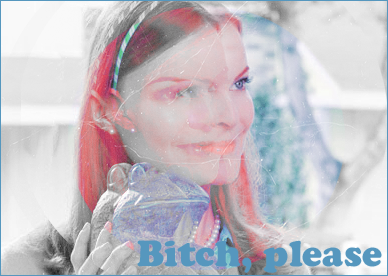
and thank you for showing me that way! x ![]() Great banner!! The cutting, text and even the background is just great!! Well done!! xXx and thank you Callum! I will change the text in a bit me thinks.. will have a play about with it and see what happens xD

|
|||
|
|
|
|
#2077 | |||
|
||||
|
Piertotum Locomotor
|
How do you blend so accurately?
Do you zoom right in and then erase or something?
|
|||
|
|
|
|
#2078 | ||
|
|||
|
Senior Member
|
Quote:
Who me? Just bumping as it was on the last post on the other page. ![]()
|
||
|
|
|
|
#2079 | |||
|
||||
|
Piertotum Locomotor
|
Quote:
|
|||
|
|
|
|
#2080 | |||
|
||||
|
M C F L Y <3
|
Umm.. I put one picture one and two where I want it, then zoom once, so its just a lil bit bigger, make my brush eraser pretty big then blend up to a line on one of the pictures (whichever is on top). Thenn I duplicate the layer and merge it together so it dosnt go all faded, eraser the lumps and bumps that appear and voila!
Then I do the rest the same (: x |
|||
|
|
|
|
#2081 | |||
|
||||
|
Jen
|
Quote:
![]() *Is jealous* |
|||
|
|
|
|
#2082 | |||
|
||||
|
Senior Member
|
There's alot of Ugly Betty banners in this comp. LOL.
|
|||
|
|
|
|
#2083 | |||
|
||||
|
Piertotum Locomotor
|
Thanks for the advice Nicky, do you change the hardness of the brush by any chance? This is really hard to explain but it's like whenever I erase something instead of erasing it overlaps and just decreases the opacity.
|
|||
|
|
|
|
#2084 | |||
|
||||
|
M C F L Y <3
|
Quote:
xand yah there is Hugo! xD I don't think it'll turn into the new Britney obsession though
|
|||
|
|
|
|
#2085 | |||
|
||||
|
M C F L Y <3
|
Quote:
.. I dont think I do! ( I have no idea tbh xD ) ![]() This is what my brush settings look like -
|
|||
|
|
|
|
#2086 | ||
|
|||
|
Senior Member
|
Everyone can make such good graphics...
* Runs Away Crying * |
||
|
|
|
|
#2087 | |||
|
||||
|
Piertotum Locomotor
|
It's really hard to explain but whenever I erase something instead of erasing it fully, it just makes the erased part look lighter.
|
|||
|
|
|
|
#2088 | |||
|
||||
|
M C F L Y <3
|
Quote:
![]() Do you mean it goes slighty transparent? or the whole picture goes lighter? x Edit- That makes no sense to what you just said ^ xD I dont get what you mean xD the erased part looks lighter ? x |
|||
|
|
|
|
#2089 | |||
|
||||
|
can't nobody hold us down
|
Quote:
|
|||
|
|
|
|
#2090 | |||
|
||||
|
Piertotum Locomotor
|
Thanks everyone for the tips, problem solved.
|
|||
|
|
|
|
#2091 | |||
|
||||
|
Senior Member
|
Just entered in the competition ;
|
|||
|
|
|
|
#2092 | ||
|
|||
|
Senior Member
|
I use the polygonal lasso tool to cut out things + blend (Depending on the feather) and just zoom in and cut.
|
||
|
|
|
|
#2093 | |||
|
||||
|
can't nobody hold us down
|
Quote:
|
|||
|
|
|
|
#2094 | |||
|
||||
|
M C F L Y <3
|
Quote:
I used that (thank to Alex) to cut out my Mamma Mia banner picture! |
|||
|
|
|
|
#2095 | |||
|
||||
|
can't nobody hold us down
|
Quote:
|
|||
|
|
|
|
#2096 | |||
|
||||
|
Senior Member
|
I find the Pen Tool so easy and aslong as you do enough points while zoomed in it will look as good as the lasso.
I used the pen tool for my Paris banner VV |
|||
|
|
|
|
#2097 | |||
|
||||
|
M C F L Y <3
|
oo okay! Thanks Markus ! Will has a fiddle about
xand I love that banner Hugo! The effect and everything is so nice!! |
|||
|
|
|
|
#2098 | |||
|
||||
|
can't nobody hold us down
|
I use the eraser tool as well to fix the dodgy bits when I cut with the lasso tool.
|
|||
|
|
|
|
#2099 | |||
|
||||
|
Senior Member
|
Thanks Nicky
![]() [do you mean the Bree one or the Paris one?] lol |
|||
|
|
| Register to reply Log in to reply |
|
|